Here's how Pencil'd works.
Pencil'd answers your calls, books consultations, and sends you a summary. Set up instantly.



Pencil'd answers your calls and books your jobs.
Your AI receptionist answers calls, books appointments, and syncs everything to your calendar. Here's how.
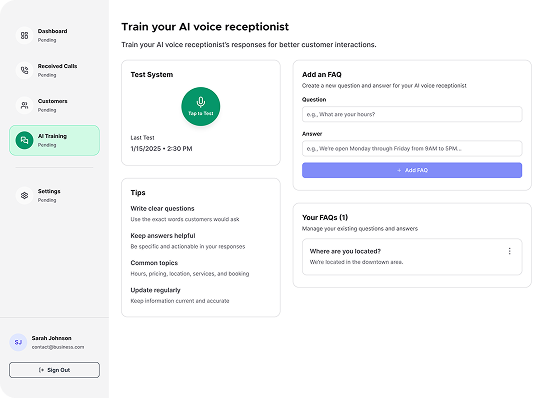
Train your virtual receptionist
Start by teaching your AI the basics of your business, your name, hours, services, and the questions customers ask most often. This ensures your AI can sound helpful and informed on every call.
You can also personalize the experience by naming your receptionist and customizing how it greets callers. The more you share, the smarter it becomes.
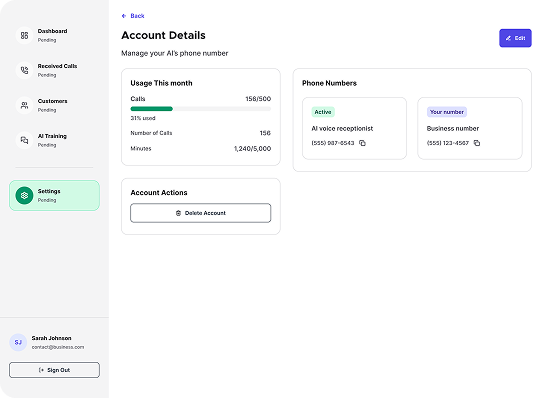
Pick your business number
Decide how you'd like your customers to reach your AI. You can get a brand-new Pencil’d phone number or keep your current number and forward calls to your AI assistant
Either way, customers won’t see a difference. You’ll keep your number if you’d like, we’ll just help route calls behind the scenes.
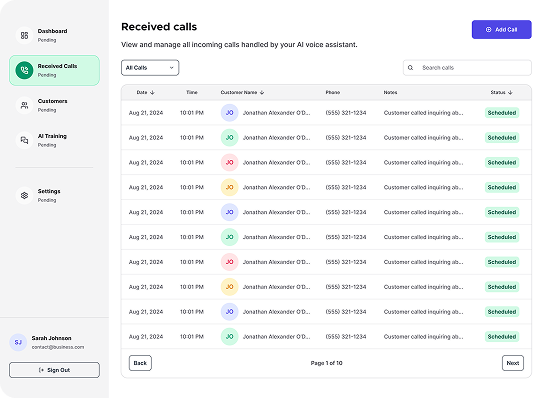
Pencil’d Answers Your Calls
During the hours you define, Pencil’d will answer your incoming calls, greet customers using your chosen script, and help them find what they need.
Whether it’s answering FAQs or booking a service, your AI receptionist is ready to handle it, no manual scheduling or missed calls.
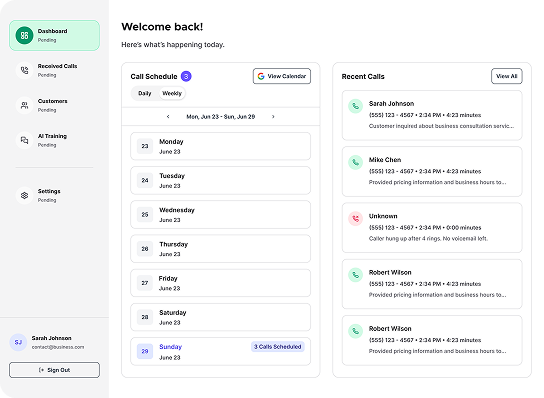
Get Bookings, Instantly Synced
Once a call is handled, you’ll be notified immediately. All appointments are synced directly to your connected calendar, so you never miss a beat.
You can also choose to receive transcripts or summaries of each call, giving you full visibility into your business without the busywork.
Try It for Yourself
Want to see what your clients will hear? Just call, no setup required.

See how Pencil’d sounds and works in real time.
Call our AI receptionist and experience a sample booking just like your clients would.
You can ask questions, book an appointment, or just test how natural it feels.
What Happens Behind the Scenes
Here's how Pencil'd works for you, quietly handling the heavy lifting so you can stay focused on the job.

AI Voice Engine
Your AI receptionist understands customer intent, responds naturally, and adapts to the conversation in real time.

Smart Scheduling
Pencil'd checks your availability, offers times, and books appointments, all while syncing with your connected calendar.

Custom Call Scripts
We personalize the greeting and responses based on your business name, services, and FAQs — so it sounds like your team.

Caller Context
Your AI uses caller history and previous interactions (when available) to personalize every conversation.

Real-Time Notifications
Get instant email or text updates after each call, including a call summary and appointment details.
Questions About How It Works?
Still looking for something? View all FAQs
How does Pencil'd answer calls?
What happens if the receptionist doesn't know the answer?
What if I want to jump in on a call?
Can it handle multiple calls at once?
Q:
How does Pencil'd answer calls?
A:

Try Pencil'd free for 14 days.
Full access, no card upfront. Set up instantly.